
Trading journal for US stocks & ETFs
Know your edge.
Your P&L, explained.
SpiceLog turns every fill from your broker — DAS Trader Pro, Tradervue, Interactive Brokers, and more — into one clean trading journal: win rate, profit factor, drawdown, and the patterns behind them, without spreadsheets.
Free to start · no credit card required
US stocks and ETFs only — no options or futures.
TradervueTrades, tags, notes, and risk
DAS Trader ProExecute events normalized into fills
SchwabBetaCompleted trades or transaction history
Interactive BrokersBetaFlat trades export
thinkorswimBetaFilled orders export
PropReportsBetaProp-firm fills from the API or Audit export
Many other brokersBetaGeneric CSV fallback with recognizable columns
Tradervue and DAS Trader Pro are fully supported. The others are in beta.
What you get
Everything you need to review a trade, not just log it.
How it works
Three steps from broker export to real insight.
- 1Import
Upload your broker export or CSV history. Preview before anything touches your data.
- 2Tag & journal
Add tags, notes, and structured pre-market and post-market entries as you go.
- 3Find your edge
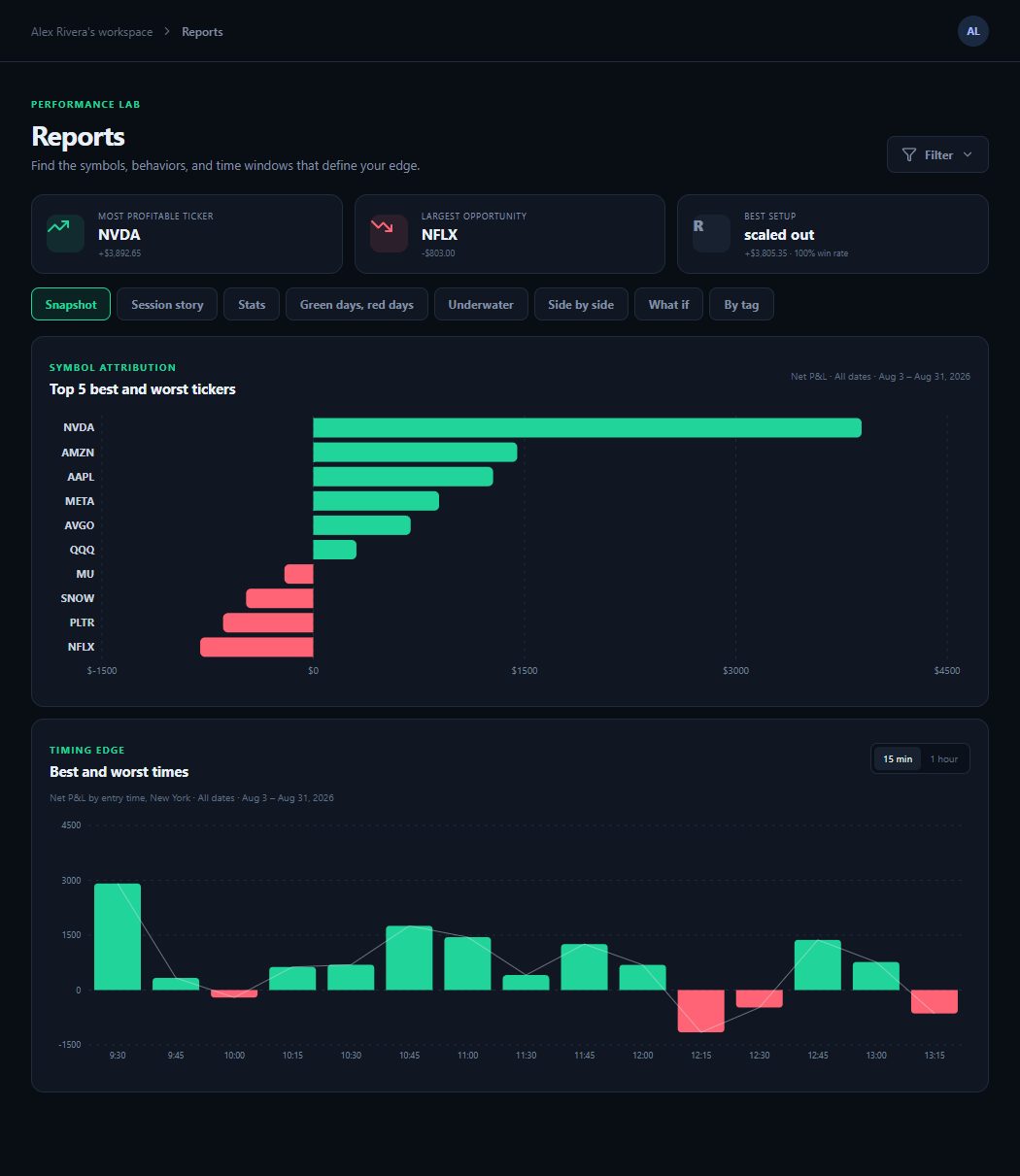
Slice performance by symbol, tag, time of day, or side — and see what’s actually working.
Start your journal today.
Free to start — see your own trades laid out in minutes.
Create your account